
First, let's see how you can check a reservation made on the website.
You can filter the search by booking code, check-in date, check-out date, date of creation, or cancellation.
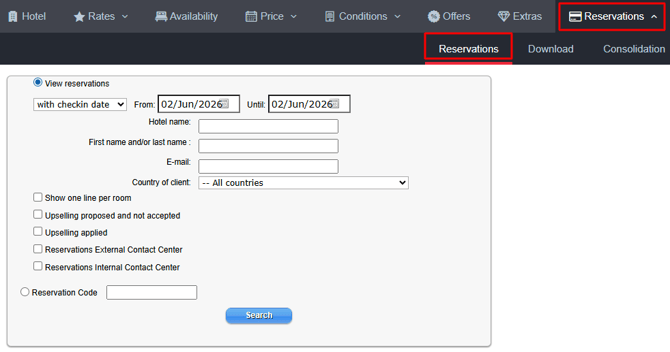
If you click on the corresponding code in the code column, the reservation opens in a new window.

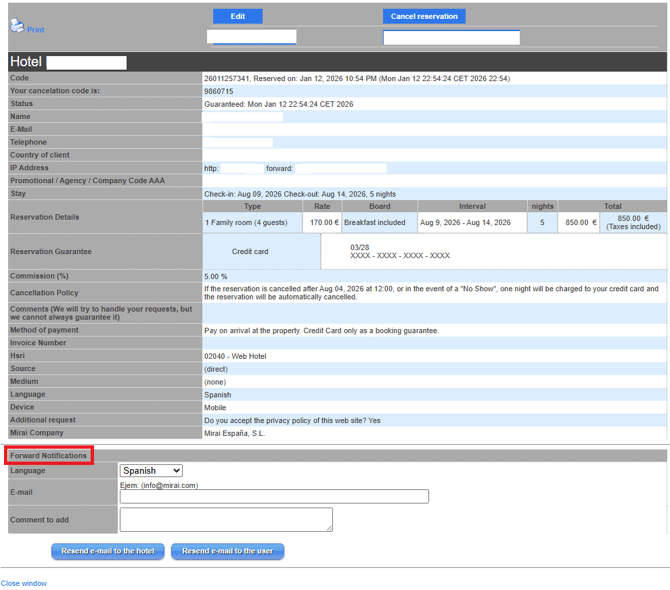
There you can check all the details and resend notifications to the user or the hotel in the desired language.
How to edit or cancel a reservation
As we have seen above, if you click on the corresponding code in the code column, the reservation opens in a new window. There you can edit the reservation.
You can modify the check-in date, check-out date, customer name, price, board, occupancy, and rooms.

Attention! Not all Channel Managers have the ability to receive the new information, although most do. When in doubt, always check that the modification has been transferred to the PMS; otherwise, the change will have to be made manually in the PMS as well.
Unlike modifications, cancellations do travel across all Channel Managers.

For further information, please contact [email protected].