How to open or close rooms, rates or occupancies
Hotels with a Channel Manager will send the conditions from there.
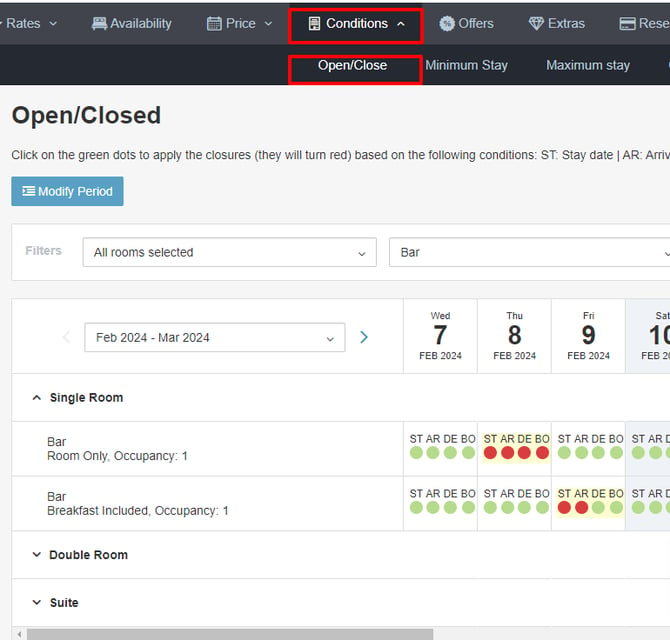
For hotels that do not work with a Channel Manager, in this section you can make closures at the stay date, arrival, departure, and booking level.
Closures can be applied not only at room level, but also at rate and occupancy level.
To do this, you just have to click on the day and desired option and save.
As in the other tabs, there is the option to apply changes for a period.
How to set up minimum and maximum stays
There is a tab for each restriction, where you simply enter the number of nights in the corresponding box, which will then be highlighted in yellow. Don't forget to save afterwards.
For longer periods, you can use the "modify period" option to set the necessary minimum stay for each room occupancy.

DON'T FORGET
Within the rate setup, you can define whether these restrictions should apply based on the stay date or the arrival date.
How to set up cancellation and payment policies
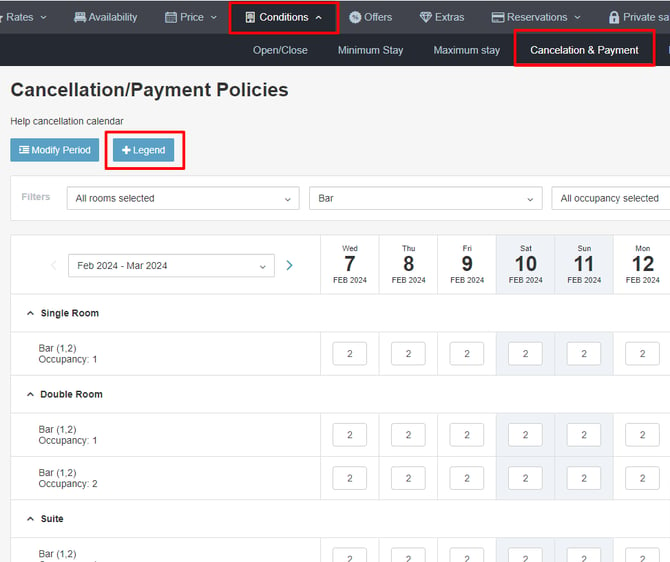
Enter the corresponding identification number for the cancellation policy, consulting the first column of the legend.
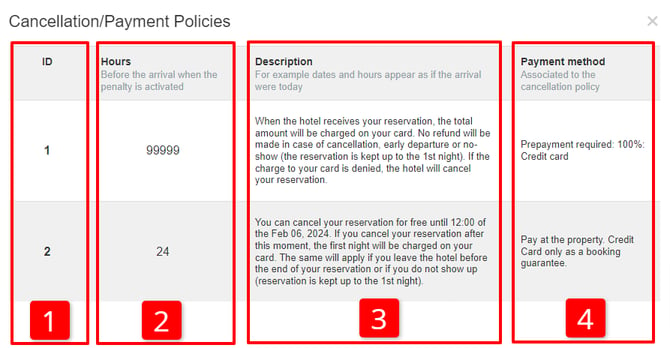
1st COLUMN, ID number, to be entered in the cancellation calendar.
2nd COLUMN indicates the number of hours prior to arrival when the penalty will be activated.
Most frequent number of hours:
-
99999 Policy for non-refundable offer.
-
24h. The penalty will be applied 1 day before arrival.
-
48h. The penalty will be applied 2 days before arrival.
-
72h. The penalty will be applied 3 days before arrival.
-
360h. The penalty will be applied 15 days before arrival.
3rd COLUMN presents the cancellation text corresponding to a reservation with today's check-in. The text is customizable. If you need to modify it, contact support at [email protected].
4th COLUMN shows the payment method as it will be displayed to the user. You can choose from the options we have configured by default, but you cannot customize that text.
DON'T FORGET
When setting up your rates, select the default cancellation policy to be linked to. You must also select any other policies (if any) that may apply to the rate.
If there are two equal prices for a query, the system will display the most advantageous option for the user. When discriminating cancellation policies, at the same price, the system will display the option with the least restrictive policy.
How to set up a release
In this section, you can establish a minimum advance booking window for each of your rate plans. If you have left the information blank at the Rate level, the system will take the data configured here. You can also send it directly from your Channel Manager.
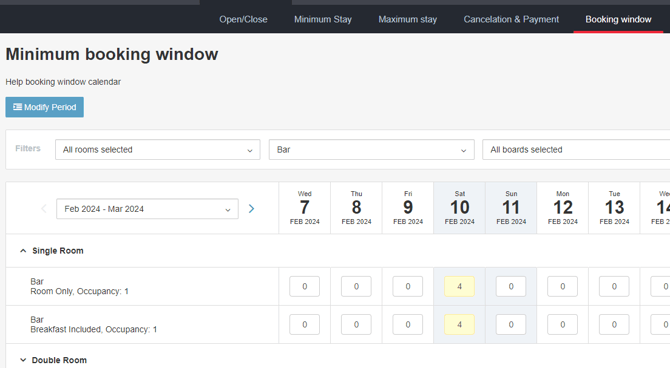
How to set up special web conditions
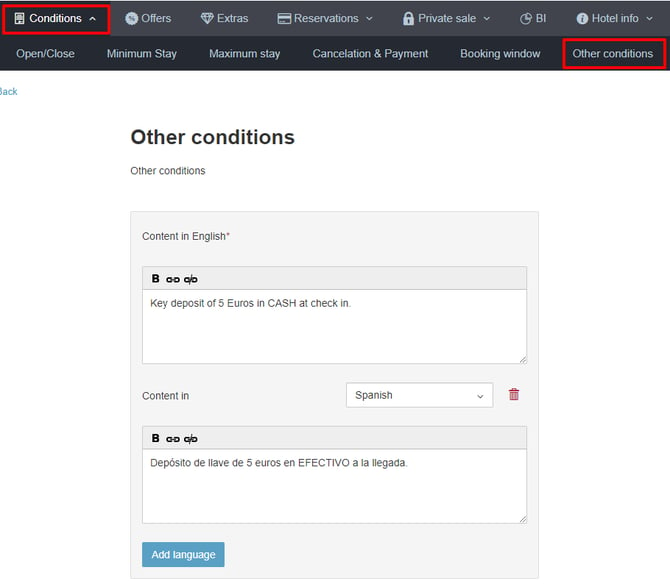
You may need to expand the web conditions for everyone who books and accept them during the booking process. (e.g. specific conditions such as pool closures or services, or general conditions such as acceptance of insurance or instructions for check-in outside reception hours). You can set up these conditions in the extranet:
-
In English. If you fill it in, it is mandatory to do so in English, as with other texts in the extranet. The interface itself ensures that it is not left blank.
-
Accepts bold, line breaks, and links. (recommended for redirecting to longer texts, especially legal ones). The customer will see it perfectly, although in the confirmation email that you receive, you will see it in the form of HTML code.
-
It fits within 700 characters. If more are needed (especially for legal conditions), we recommend posting them somewhere and providing a link to it.
-
"Frozen" per booking. With each booking, the text that was present at the time of booking is saved, so when retrieving the booking, it will remain intact even if you have changed it afterwards.
-
It is ONE text per hotel. Not per rate, offer, occupancy, board, room, stay dates, lead time, etc. These are the general conditions of the hotel, so they do not vary depending on what is booked.
-
You can change it at any time. The text of the conditions that you have loaded at any given time will apply to all new bookings.