
The code can apply to all public rates on the website (that apply to the customer's query) or be associated with a confidential rate, offer, or room.
DON'T FORGET
It is not possible to apply two promotional codes simultaneously (e.g. resident discount and Black Friday at the same time). Keep this in mind in your planning.
You can restrict some application conditions:
-
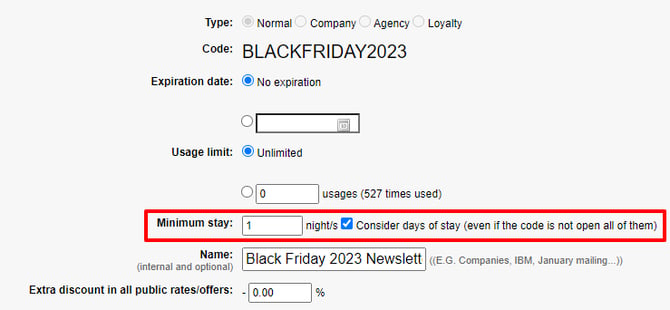
Expiration date (ideal for a specific campaign, such as Black Friday) will indicate the date when it will no longer be active (by default it does not expire).
-
Usage limit (e.g. for loyalty codes) or limit it by stay dates, arrival, departure, or booking dates (like offers and extras), allowing you to limit their use on peak dates or high season (for resident discounts, for example). You can also limit their use to not combine the discount with a Club offer (it would not apply to Club's linear discounts, only to offers and rates). You can also auto-generate a massive number of codes for sending through your CRM.
-
Minimum stay, in case the code has a configured minimum stay and at the same time, is associated with a confidential offer, also with a minimum stay, or there is a general minimum stay and these are different, it will apply the highest minimum stay.
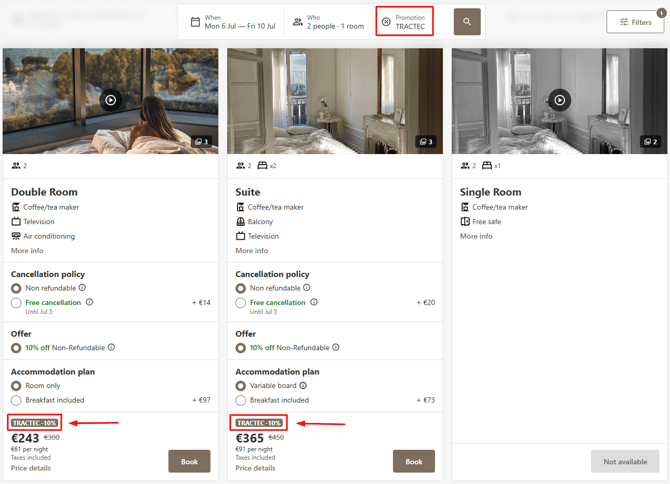
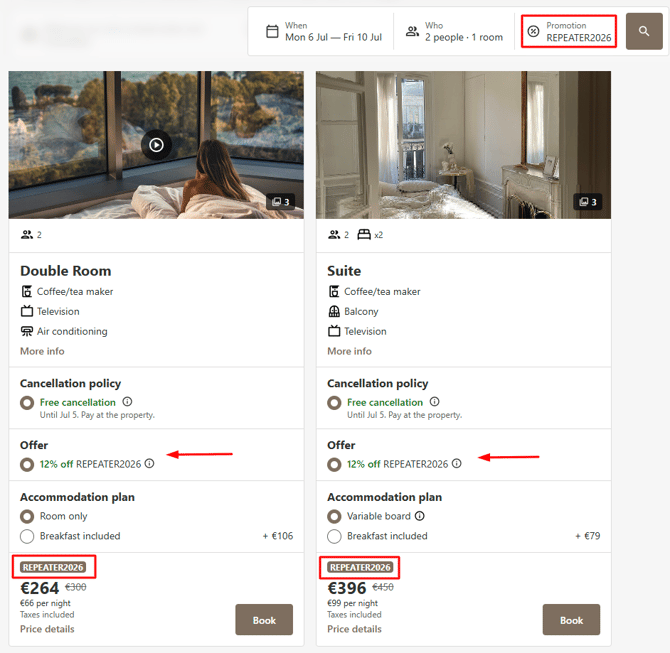
After entering the code in the engine, the results will show the rates with the applied discount and a label of the code used and its discount.
Promo codes associated to rates
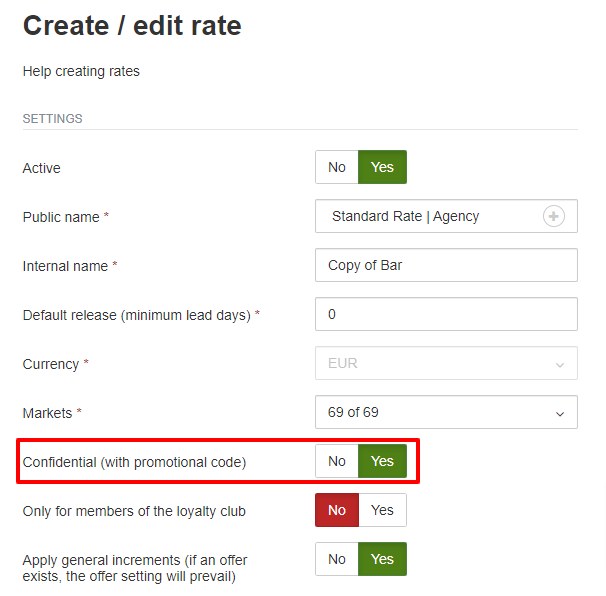
These codes provide more configuration flexibility (as they are configured with the conditions of a fare or offer) but are not applied by default and require a more complex setup. To associate it with a confidential fare, you must mark it as "Confidential" when creating it on the fare configuration screen.


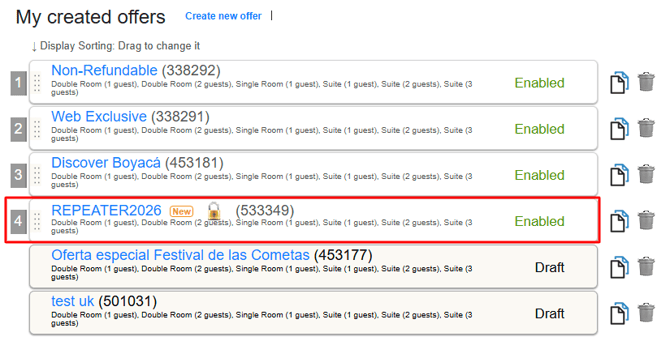
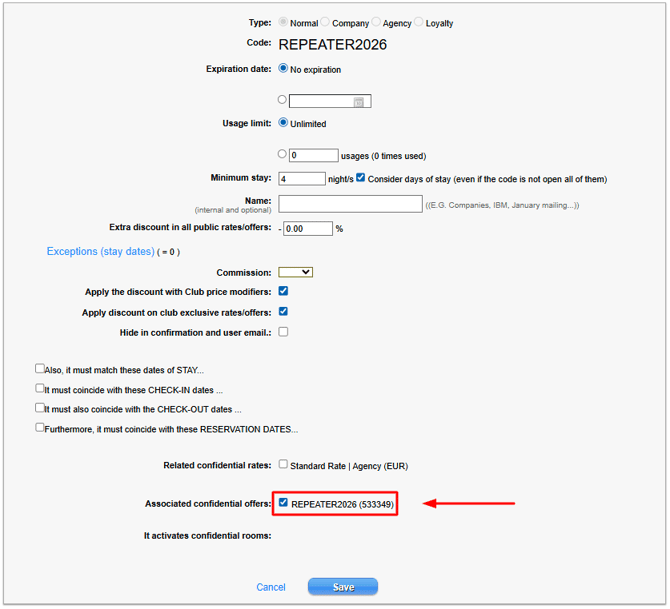
When the user enters the code, they will see the associated confidential fare marked with a flag, and they will also be offered to view the rest of the fares.
DON'T FORGET
If you want to associate a code with a rate or offer, remember not to configure a discount on the code screen. If you fill it in, the system will understand that you want to offer both.
If you are a chain, we can manage promotional codes across all your establishments or some of them collectively. For more details, please contact [email protected].