
Showcase your hotel's exclusive benefits directly within the booking engine.
To ensure the Advantages Banner (Web Benefits) displays correctly, you must first configure it via the extranet.
The new booking engine includes visual and functional enhancements designed to give these advantages greater visibility.
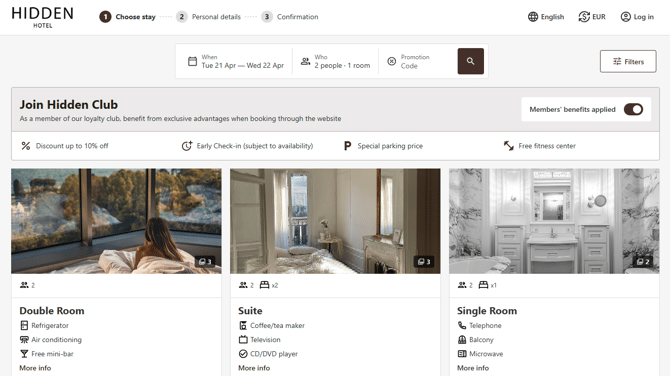
Configuration
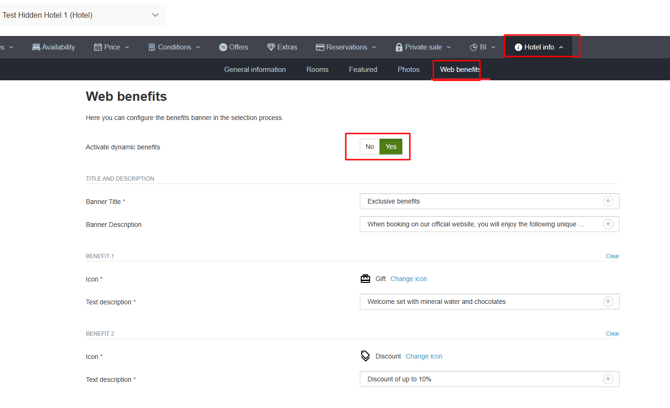
If these are specific hotel benefits, navigate to the "Hotel Info" > "Web Benefits" section within the hotel settings.
-
Banner Title: Adding a title in the extranet is mandatory for the banner to appear in the booking engine. This is configured in the section mentioned above.
-
Banner Description: In the same section, we highly recommend completing the description field to provide more context.
-
Translations: Ensure all fields are translated into every language supported by your website. English is a mandatory field.
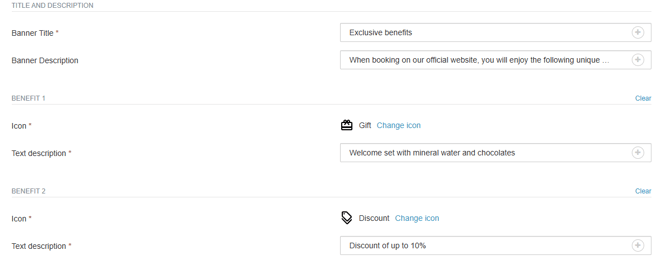
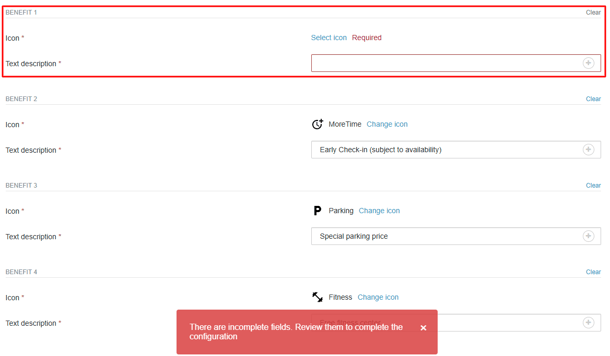
Important: Regardless of how many advantages you wish to display (minimum 4, maximum 8), the first four slots must always be completed in the extranet to avoid system errors.
Recommendations for Your Advantages
-
Avoid using all caps: Keep the text professional and easy to read.
-
Be concise: Use short, clear, and engaging phrases.
-
Visual cues: Choose an icon that accurately represents each specific advantage.
-
Minimum requirements: Remember, it is compulsory to fill in at least 4 advantages.
For further information, please contact [email protected].