DON'T FORGET to upload the texts in all the languages on the website.
How to input room information?
Go to the Hotel Info menu and click on the Rooms section, from here you can access the different sections indicated below.
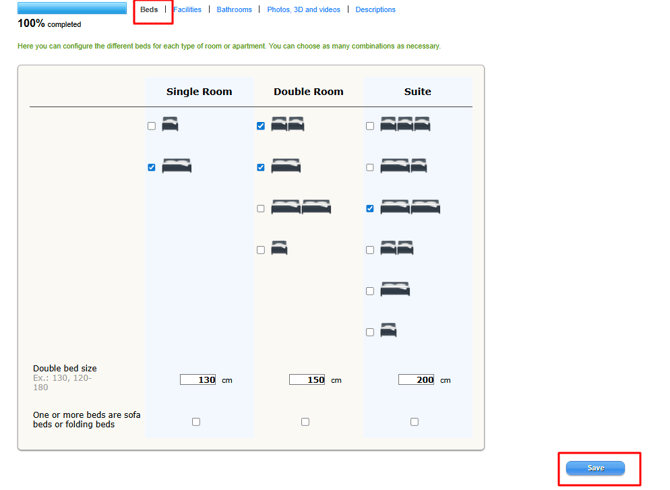
Beds
Specify the bed composition in each room type. If no icon corresponds to your layout, do not select any. If a room or apartment has more than 5 beds, we will not display the option in the configurator.
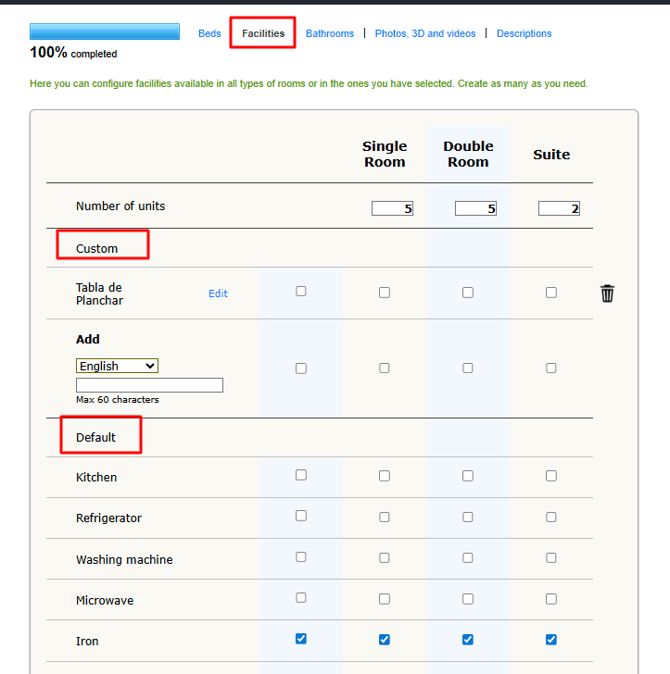
Facilities
List in as much detail as possible the services offered by your hotel.
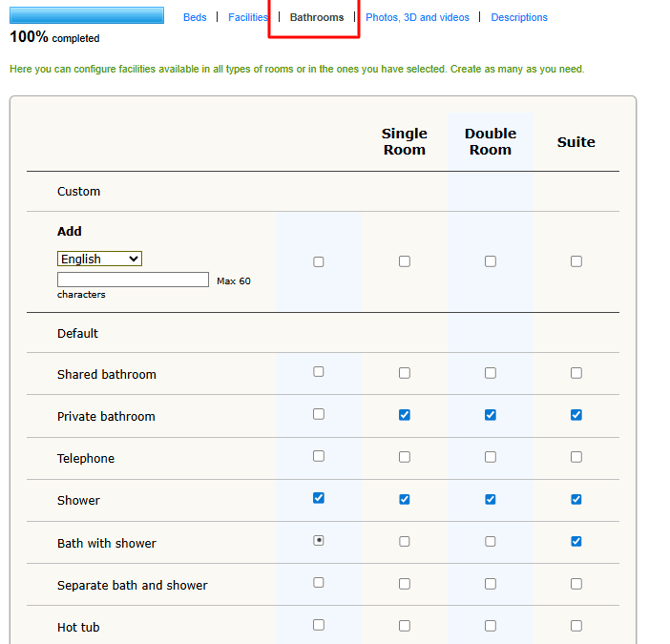
Bathrooms
Choose the options that best identify with each room type.
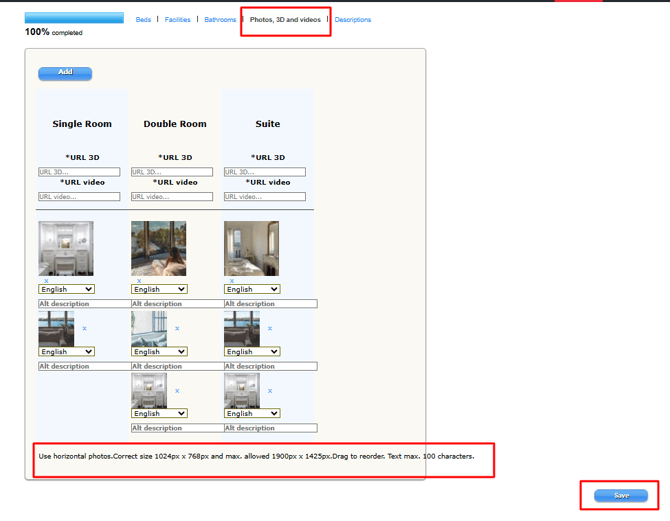
3D Photos and Videos
Images are one of the key factors in boosting bookings. That’s why it’s important to upload high-quality, well-optimised photos.
Recommendations for photos
-
Use real, specific images of each room type.
-
Avoid general photos of the accommodation.
-
Choose the main image carefully, as this will be the first thing guests see.
-
Organise the order of the images to best showcase the accommodation experience.
Technical requirements for room photos
Format: WebP
-
Orientation: Landscape
-
Maximum file size: 4 MB
-
Minimum resolution: 1024 × 768 px
-
Maximum permitted resolution: 1900 × 1425 px
Videos and 3D tours
You can also add:
-
YouTube videos
-
Virtual tours or 3D tours
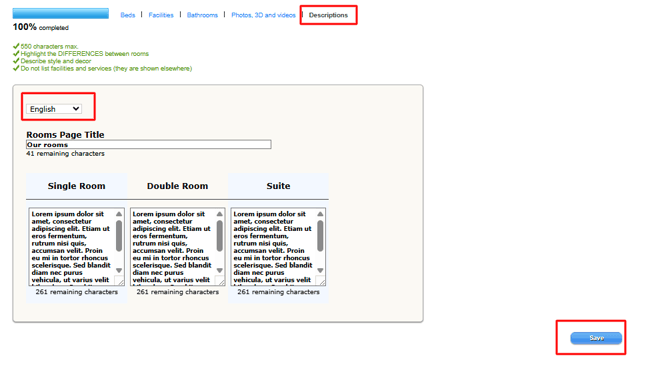
Descriptions
Remember to add descriptions in different languages of your website.
How to set up the highlights?
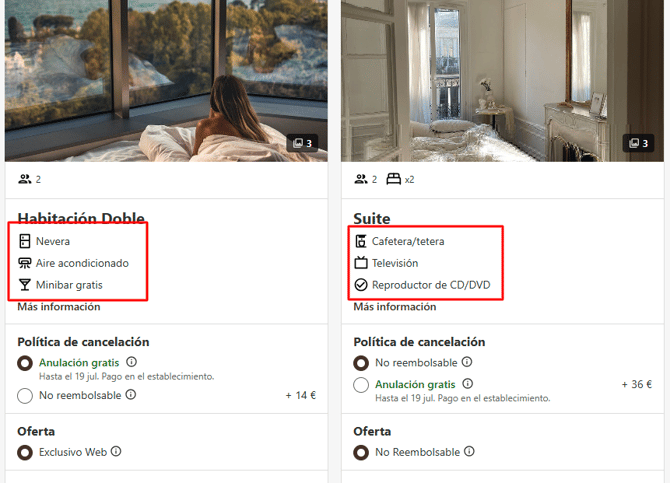
Here you manage the icons of facilities and services that will appear in the booking engine, in each room.
They will be displayed in the order of this list: up to ten on desktop and six on mobile.
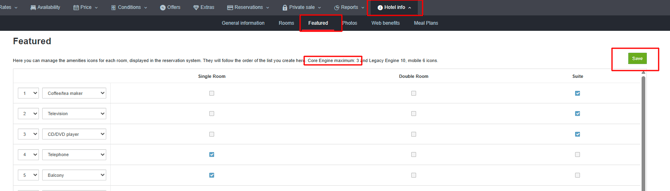
This information is displayed at the beginning of the booking process, on the room selection page, or on our dynamic room page if you have one.