
Access the Club configuration
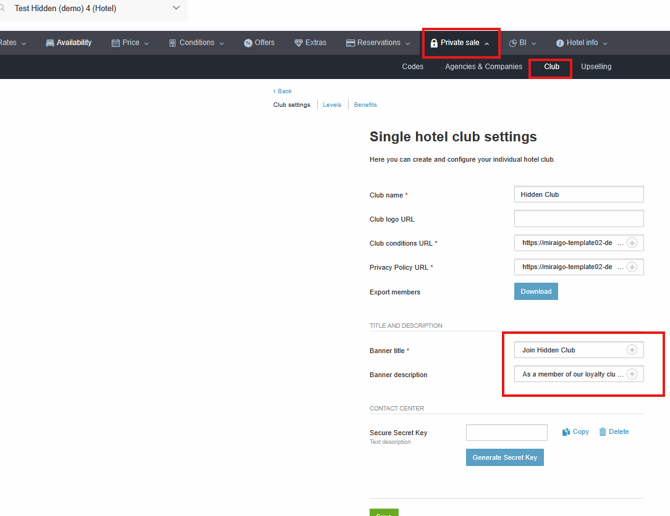
In this section, you will find several important fields:
-
Banner Title: Mandatory field. If you do not complete it, the banner will not be displayed in the engine.
-
Banner Description: Highly recommended field to offer additional and attractive information about the Club.
Activate the Benefits
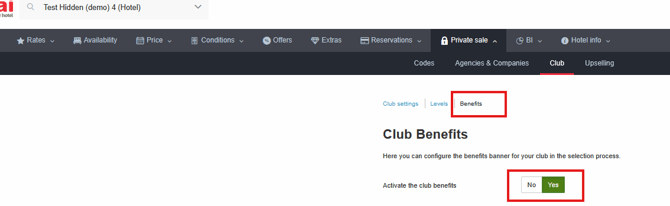
Within the Club menu, access Benefits and activate the option:
-
"Activate the club benefits banner" → Yes.
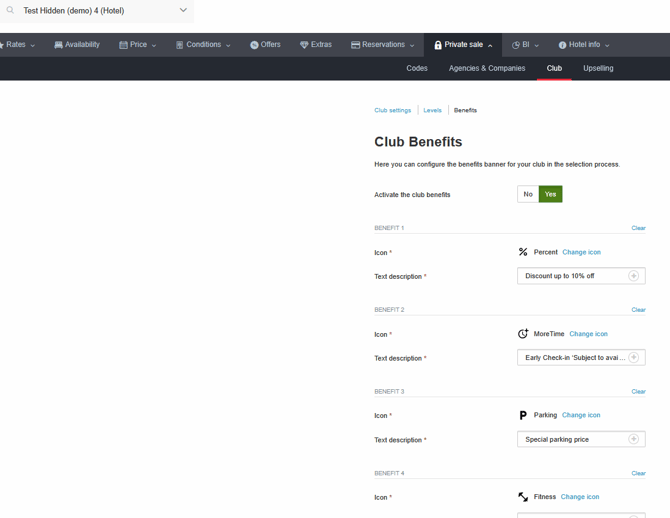
From here, fill in all the sections, keeping in mind that you must add translations for all the languages on the website.
Configuration Rules
It is important to note that regardless of the number of benefits added (minimum 4 and maximum 8), the first 4 must always be covered in the extranet.
They will be displayed in the booking engine as shown in the preview.

Recommendations for benefits
-
Avoid writing everything in UPPERCASE.
-
Use short, clear, and attractive phrases.
-
Choose an icon that represents each benefit well.
-
Remember that it is mandatory to fill in at least 4 benefits.
Note: If you do not yet have the Club product available, contact [email protected] to receive more information.